DocsAutomator lets you generate PDFs based on your data. With this tool, you can easily create personalized and visually appealing documents by merging your data with pre-built templates.
Don't see the DocsAutomator integration?
You may need to upgrade your plan. Browse Glide's plans and find the right fit for you.

Adding and Configuring the Integration
To start using the DocsAutomator integration, you first need to add it to your project.
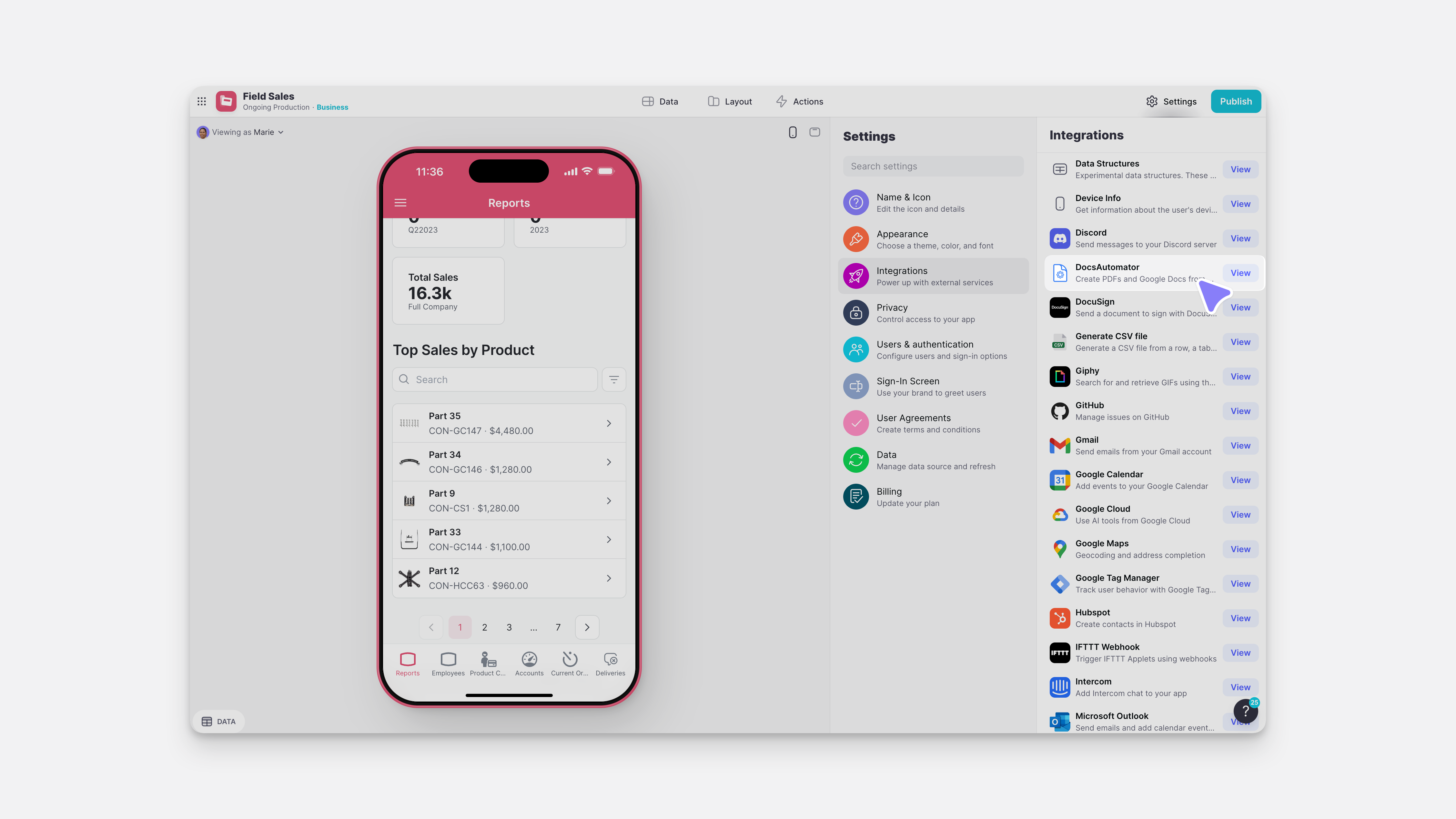
- In Glide, click the Settings icon in the upper-right corner.
- Navigate to the Integrations tab and then select DocsAutomator.
- Click the Add button
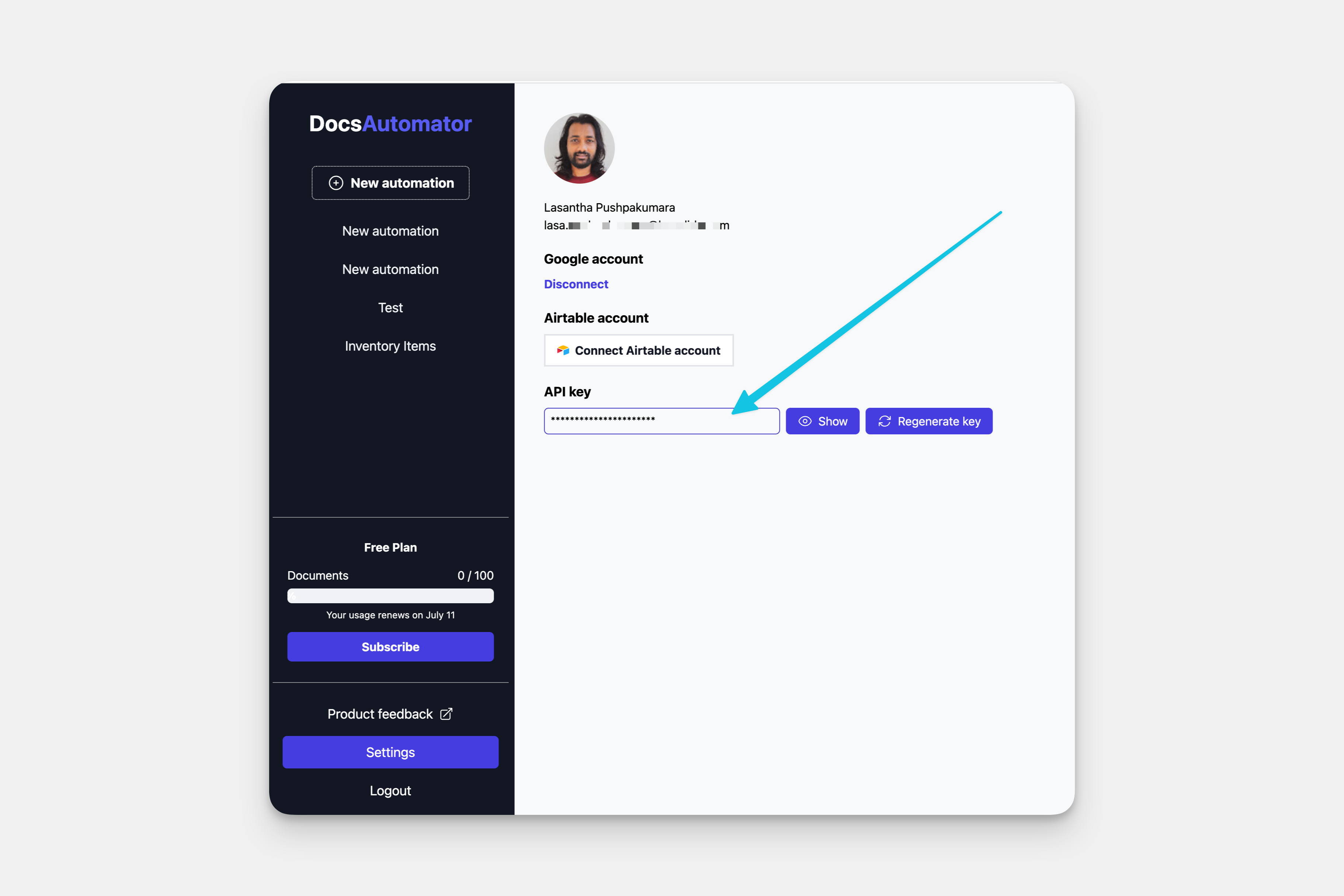
- From your DocsAutomator account, retrieve your API key from the Settings menu.
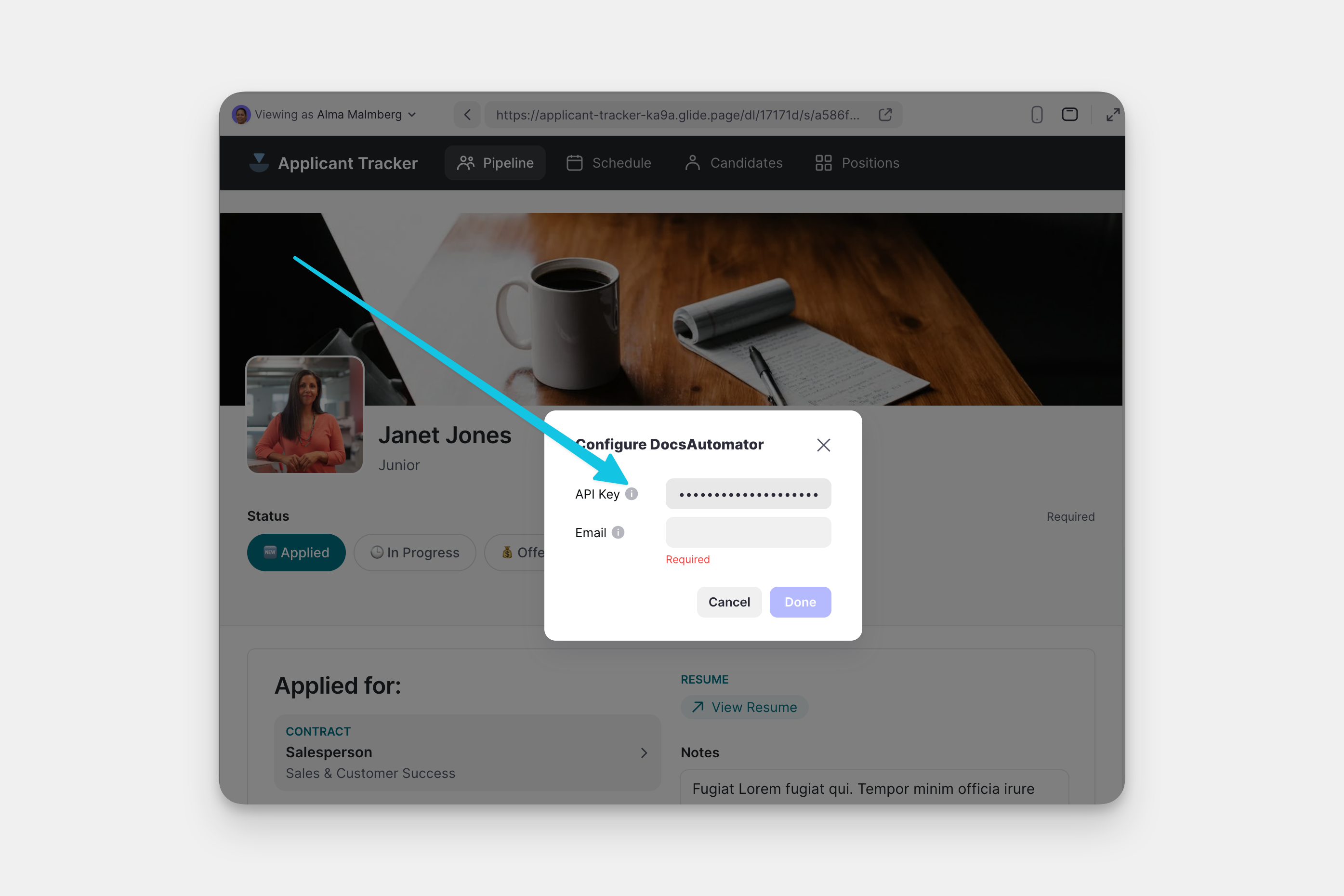
- In Glide, enter this key into the API Key field under your DocsAutomator integration settings, along with the email address that you use to login to DocsAutomator.
Features
The DocsAutomator Integration has only one feature - Generate Document.
The action can be added to a Component that supports Actions (e.g., a Button component), added to an action sequence in the Action Editor.
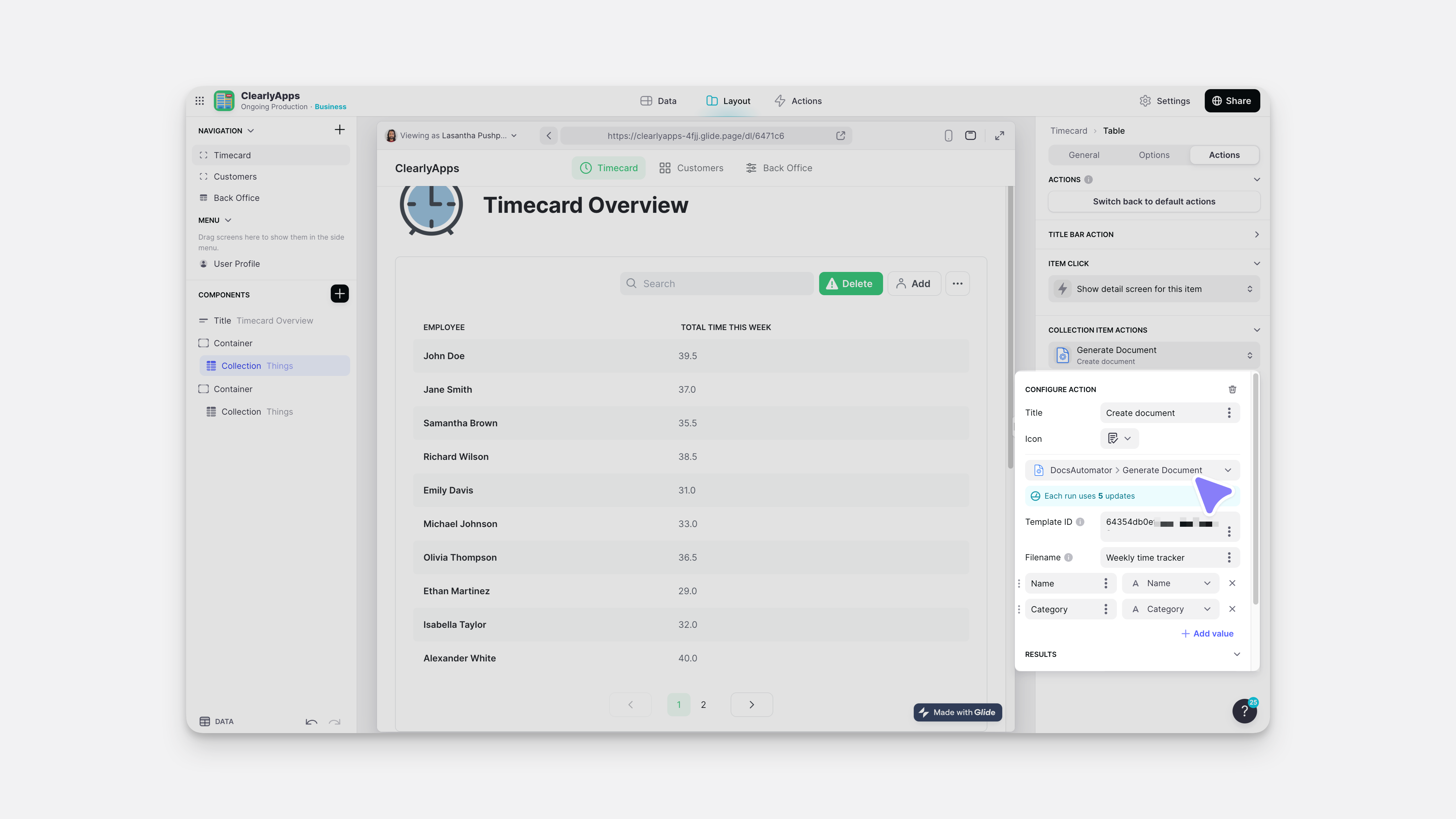
Below is a table outlining the different settings.
| Field | Description | Required field? | Example |
|---|---|---|---|
| Template ID | ID of template | ✅ | docs.google.com/document/d/[ID]/edit |
| Filename | Name for generated PDF | ❌ | If blank, will auto-generate |
| Data | Which data to pull from Glide | ❌ | If blank, will send no data |
| File output | Column in Glide to generate link | ✅ | URL or text column to extract to |
To learn more generally about Integrations in Glide, including how they affect your app’s usage, check out our Introduction to Integrations.
FAQs
Updated 2 weeks ago